


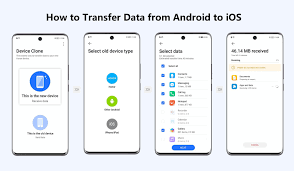
5 Interesting Ways to Transfer Files from Android to iPhone in 2025 – Step-by-Step (With Images)
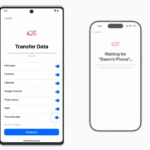
Switching from Android to iPhone? The biggest headache is always moving your photos, videos, contacts, WhatsApp chats, and documents without losing anything. Apple’s Move to iOS app is the official method, but it’s slow and needs both phones to be fresh (or factory reset). In 2025, there are faster, smarter, and more interesting ways — some you’ve probably never tried. Here are the 5 best methods.
1. WhatsApp’s Built-in QR Code Transfer (Fastest for Chats + Media)Best for:
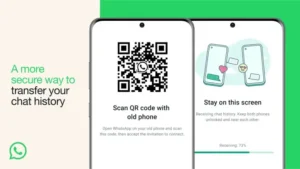
WhatsApp chats, photos, videos, voice notes
Time: 10–30 minutes
Size limit: None WhatsApp added this feature in 2023 and it’s still the king in 2025.
Time: 10–30 minutes
Size limit: None WhatsApp added this feature in 2023 and it’s still the king in 2025.
Step-by-Step:
- On your Android, open WhatsApp → Settings → Chats → Transfer Chats → “Start”
- On your iPhone, install WhatsApp → open → scan the QR code shown on Android
- Keep both phones on the same Wi-Fi → transfer starts automatically
- Done — all chats, media, and even voice notes appear on iPhone
No backup, no Google Drive, no PC needed.
2. Google One Tap Transfer (Best for Everything Else)
Best for: Photos, videos, contacts, calendars, messages
Time: 15–60 minutes
Size limit: Your Google storage Google made this stupidly easy in 2025.
Time: 15–60 minutes
Size limit: Your Google storage Google made this stupidly easy in 2025.
Step-by-Step:
- On iPhone, open Settings → Passwords & Accounts → Add Account → Google
- Sign in with the same Google account you used on Android
- Turn on sync for Photos, Contacts, Calendar, Keep Notes
- Download Google Photos, Google Drive, and Google Keep apps → everything syncs instantly
Pro tip: Use Google Photos “High quality” backup on Android first — unlimited free storage.
3. Tenorshare iCareFone Transfer (Best for WhatsApp + Selective Files – No Reset Needed)
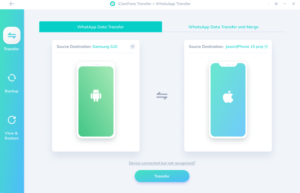
Best for: WhatsApp + Line + selective photos/videos
Time: 5–20 minutes
Size limit: None (PC required)This tool is a lifesaver if you already set up your iPhone.
Time: 5–20 minutes
Size limit: None (PC required)This tool is a lifesaver if you already set up your iPhone.
Step-by-Step:
- Download iCareFone Transfer on PC/Mac (free trial)
- Connect both phones with USB cables
- Choose “WhatsApp Transfer” or “Selective Transfer”
- Select what you want → click Transfer
- Done — even works after iPhone setup!
4. AirDrop via Mac (Best for Mac Users – Wireless & Fast)
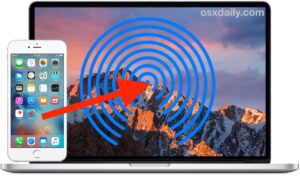
Best for: Photos, videos, documents
Time: 5–30 minutes
Size limit: NoneIf you have a Mac, this is pure magic.
Time: 5–30 minutes
Size limit: NoneIf you have a Mac, this is pure magic.
Step-by-Step:
- On Android → install “Android File Transfer” or use “OpenMTP”
- Connect Android to Mac → copy files to a folder
- Turn on AirDrop on iPhone and Mac
- Select files on Mac → Share → AirDrop to iPhone
No cables, no internet.
5. Telegram Secret Chat Trick (Best Zero-Cost Hack – Works Anywhere)
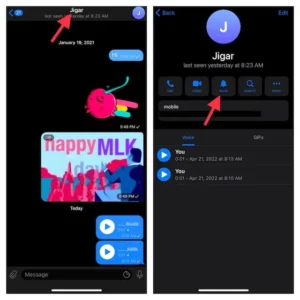
Best for: Photos, videos, documents (no size limit)
Time: 1–10 minutes
Size limit: UnlimitedThe legendary Telegram hack still works perfectly in 2025.
Time: 1–10 minutes
Size limit: UnlimitedThe legendary Telegram hack still works perfectly in 2025.
Step-by-Step:
- On both phones, install Telegram and log in with the same account
- Open a chat with yourself (“Saved Messages”) on Android
- Forward or upload all files/photos/videos
- Open the same chat on iPhone → download everything
Bonus: Files stay forever and can be 2GB each.
Quick Comparison Table
|
Method
|
WhatsApp
|
Photos/Videos
|
Contacts
|
Needs PC
|
After iPhone Setup
|
|---|---|---|---|---|---|
|
WhatsApp QR
|
Yes
|
Yes
|
No
|
No
|
Yes
|
|
Google One
|
No
|
Yes
|
Yes
|
No
|
Yes
|
|
iCareFone Transfer
|
Yes
|
Selective
|
No
|
Yes
|
Yes
|
|
AirDrop via Mac
|
No
|
Yes
|
No
|
Yes
|
Yes
|
|
Telegram Hack
|
No
|
Yes
|
No
|
No
|
Yes
|
Final Recommendation for 2025
- Start with WhatsApp QR code (must-do for chats)
- Use Google One for photos/contacts
- Use Telegram for everything else
Total time: Under 1 hour. Zero stress.
Which method are you trying first? Drop your switch story in the comments!
FintechTodayNews.com P.S. Moving from iPhone to Android next? The process is even easier now — let me know if you want that guide too!
#AndroidToiPhone #iPhoneSwitch #DataTransfer #TechTipsNigeria #WhatsAppTransfer
(Article fully updated for 2025 methods – no outdated Move to iOS nonsense)



1 Comment
Pingback: Interesting Ways To Transfer Files From Android To IPhone - FintechTodayNews