

Introduction
The 2025 NECO (National Examinations Council) results are out, and millions of Nigerian students are eager to access their scores. Whether you’re a student, parent, or guardian, knowing the official and safest way to check results is essential.
At FintechTodayNews.com, we break down the approved methods for checking NECO results in simple steps so you can get your outcome quickly and securely without confusion.
What You Need Before Checking Your Results
Before you begin, make sure you have:
- Your Examination Number (usually 10 digits)
- Your Year of Examination (2025)
- Your Type of Examination (School Candidate or Private Candidate)
Having these details handy will speed up the process.
Method 1: Checking NECO Results Online (Official Portal)
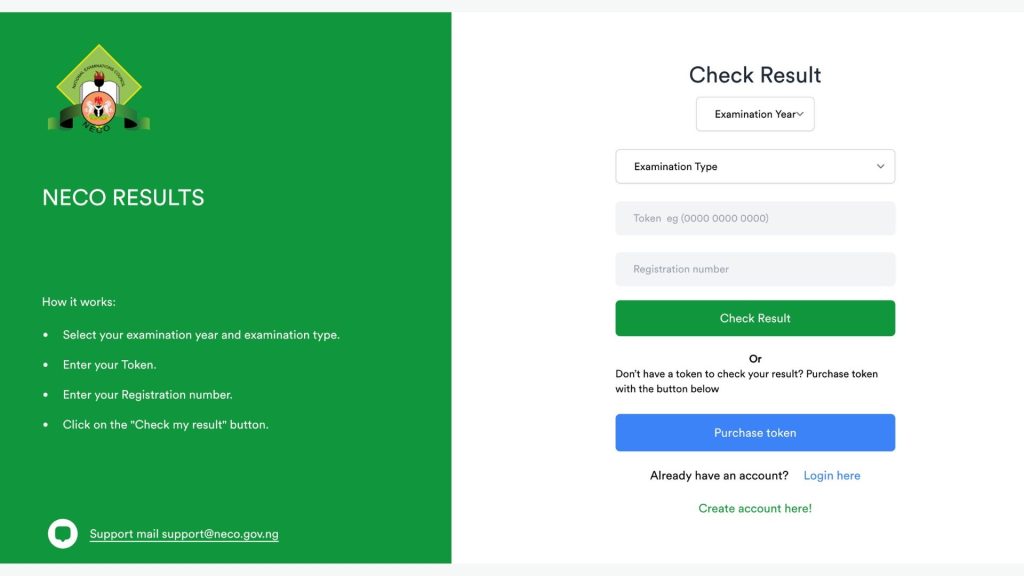
The easiest and most reliable way to check your results is via the NECO results portal:
- Visit the official NECO portal:
https://result.neco.gov.ng/results/ - Enter your Examination Number
- Select the Year of Examination (2025)
- Choose your Candidate Type
- Click Submit
- Your results will be displayed
Tip: Print or download your result slip for safekeeping.
Method 2: Check NECO Results via SMS
If you don’t have steady internet access, you can check your results by SMS (where the service is supported):
- Open your phone text messaging app
- Type your Exam Number
- Send it to the official NECO SMS code (varies by region/network — always check with NECO announcements or your school)
- You will receive your result as a text reply
Note: Standard SMS charges may apply.
| Support channel | Detail |
| Email support | support@neco.gov.ng or info@neco.gov.ng |
| Verification support | everifysupport@neco.gov.ng |
| Phone line 1 | 08069232760 |
| Phone line 2 | 09032224473 |
| Physical address | Km 8, Bida Road, P.M.B 159, Minna, Niger State |
Method 3: School or Examination Center Collection
Some candidates prefer or are required to collect certified result slips directly from:
- Their school or examination center
- The NECO state office
This method is especially useful when you need a physical result slip for admissions, employment, or documentation.
Common Issues and How to Fix Them
“Invalid Examination Number”
Make sure your exam number is entered exactly as issued. Check with your school if unsure.
“No Results Found”
This may occur if:
- The wrong year is selected
- Typo in your exam number
- Results are not yet fully uploaded
Retry later or confirm with your school.
“Page Not Loading”
NECO result days often see heavy traffic. Try again in a few minutes or switch to SMS.
Safety Tips for Checking NECO Results
- Always use the official NECO portal. Avoid unauthorized result sites.
- Never share your exam number publicly.
- Beware of any service asking you to pay extra for “faster results” — this is usually a scam.
Final Thoughts
Checking NECO results doesn’t have to be complicated.
Whether you are online or offline, there are safe, official ways to get your results.
If you encounter problems, your school or examination center should be your first point of contact.
FintechTodayNews.com will continue to bring you clear, step-by-step guidance on important education and digital news in Nigeria.
Optional: FAQ (can be added for SEO and schema)
Q: When will the 2025 NECO results be released?
A: The official NECO release date is published by the council. Candidates should check the official portal or notices from their school.
Q: Can I check NECO results with my phone?
A: Yes — you can use both the official online portal and SMS (where available).
Q: What do I do if my result doesn’t show up?
A: Confirm your details are correct and try again later, or contact your school/exam center